



Reports
What’s in an Affixr report
The report is what your builder sees. It is designed to be easy to scan and hard to argue with.
- 1
Cover and summary
The first page shows the property, plot, report date, who it was prepared for, and totals by status, plus a table of every snag.
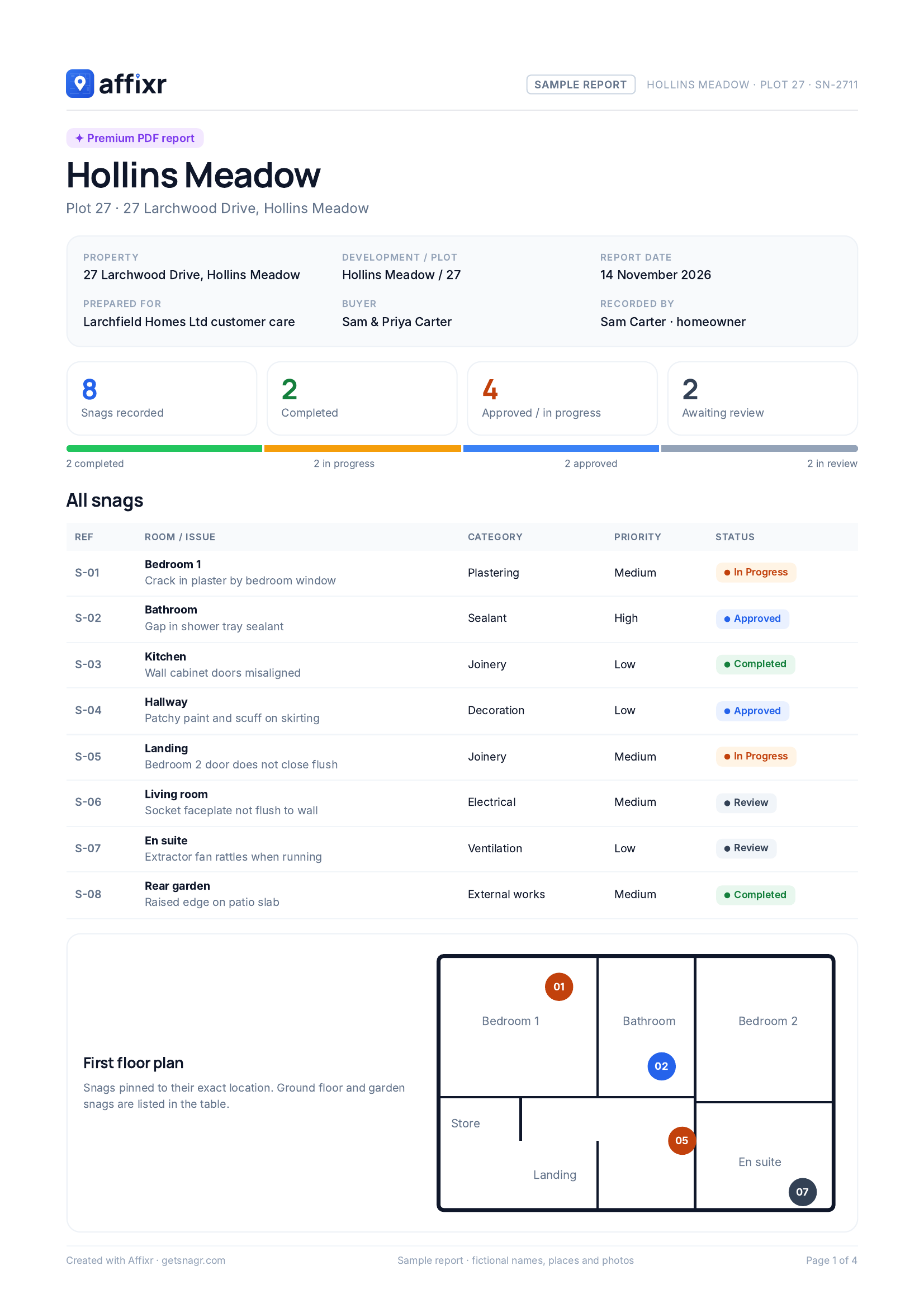
Report cover with property details, status totals, a snag table and a floor plan - 2
Snag detail
Later pages go through each snag with its room, category, status, description and any notes.
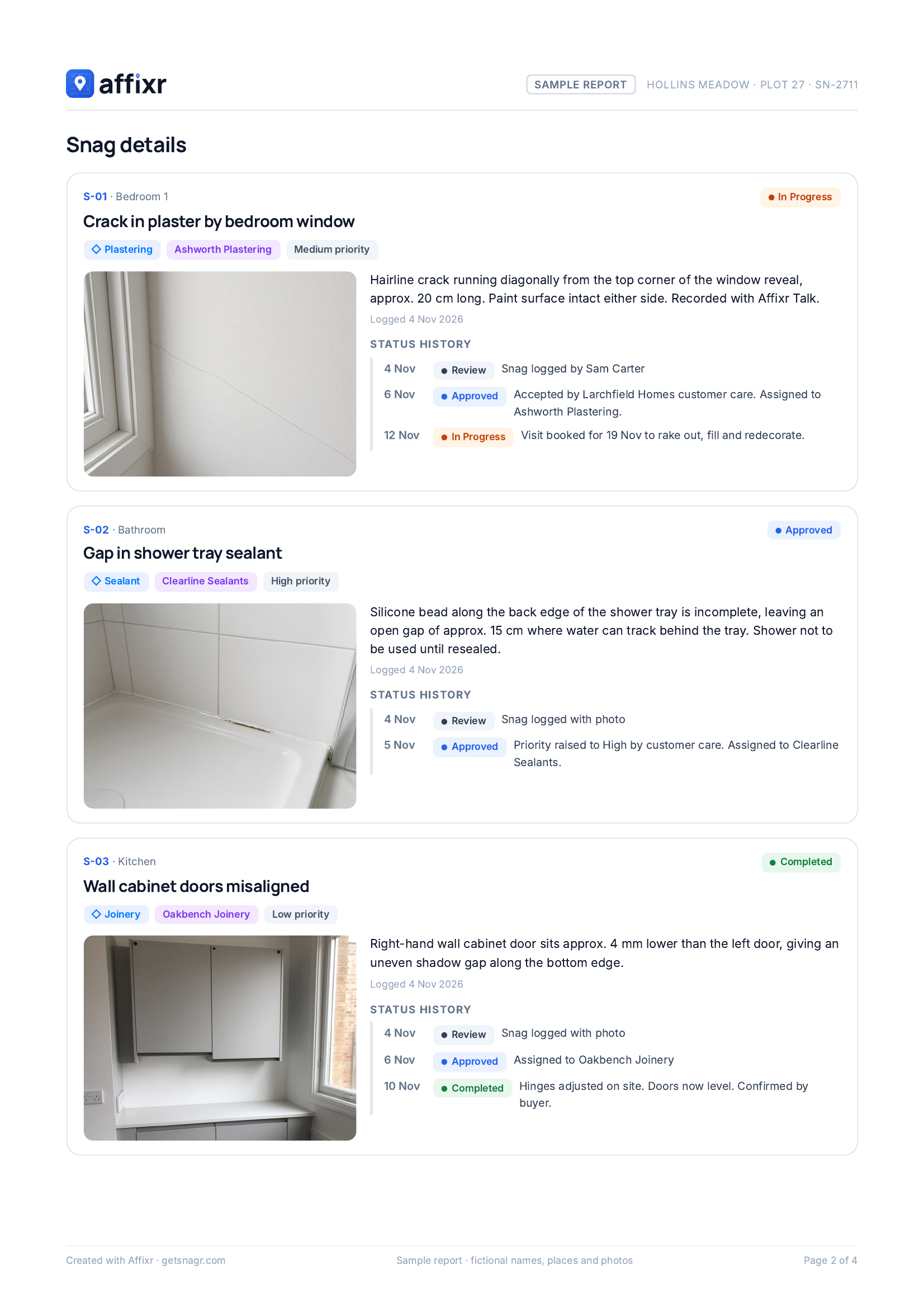
Later page of an Affixr sample report with snag detail - 3
Photos and the floor plan
Photos sit with the snag they belong to. On Premium, pins on the floor plan show the exact location.
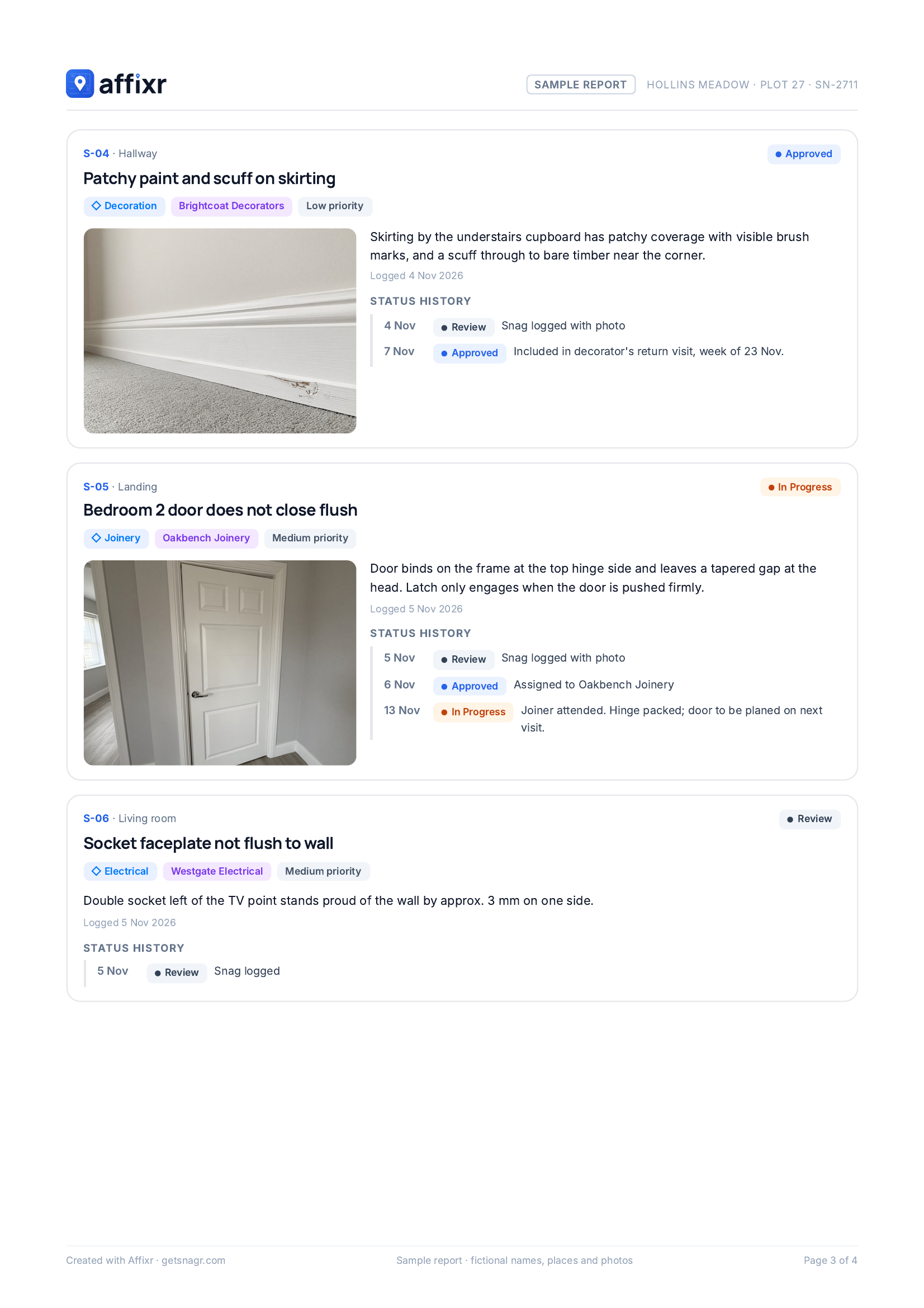
Report page showing snag photos and notes
Related guides
- Export a PDF reportWith Premium, download a professional PDF with photos, notes and status for every snag.
- Share your report by linkWith Basic, send your report to the site manager or customer care team as a URL, by email, or as a spreadsheet.
- Pin snags on a floor planOn Premium, drop a pin so the site team can go straight to each defect.
Still need help? Contact us
Questions about the app, a purchase or a feature? Email us and we will get back to you.
We aim to reply within a couple of working days.